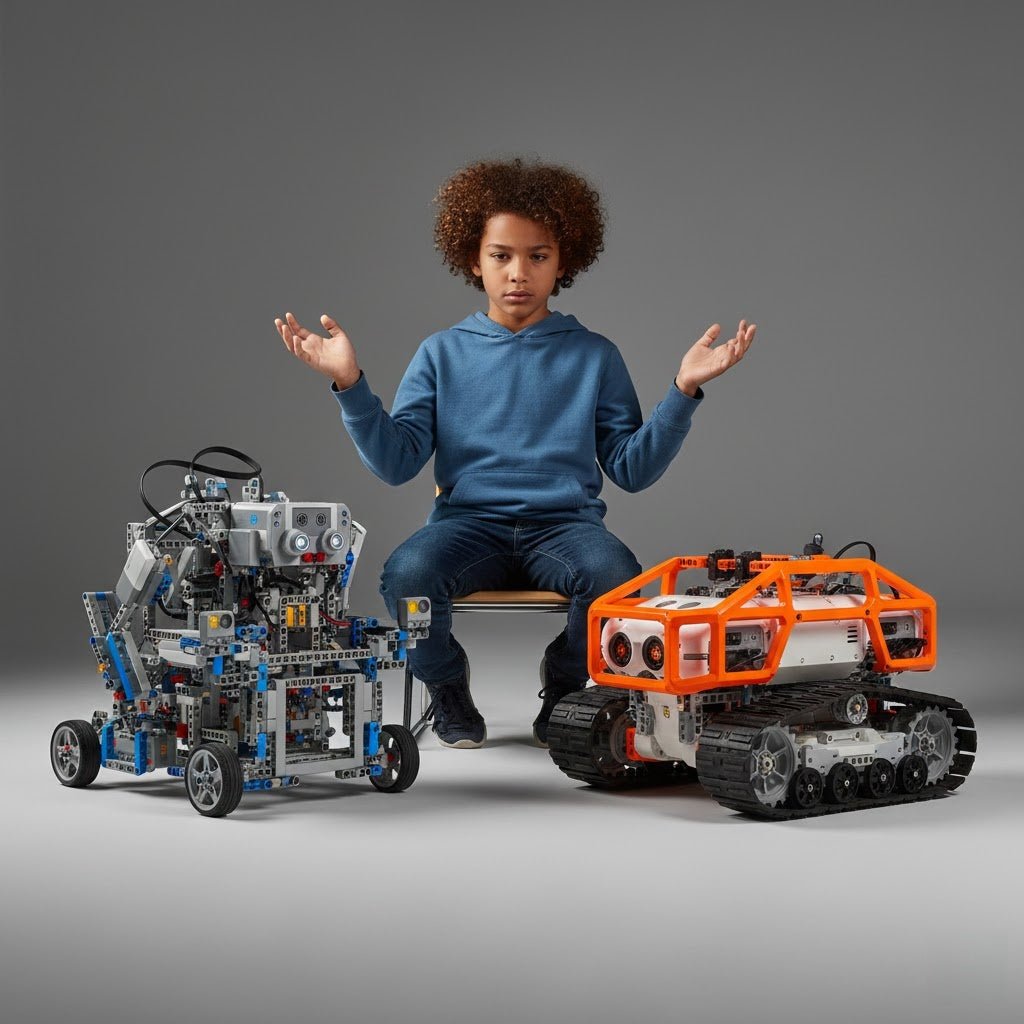
Robotics that use your hands can start a strong interest in STEM, but what a child gets out of it depends on their specific interests and how much help they get. It appears the Sphero BOLT gives the best all-around features for most families. Meanwhile, choices like LEGO Mindstorms are best for people who enjoy the building process.
-
Top Picks at a Glance: The Sphero BOLT is the clear winner for mixing coding with different school subjects, taking the title of "Best Overall." The LEGO Mindstorms Robot Inventor is great for deep engineering and changing the design, earning "Best for Aspiring Engineers." For families watching their spending, the Makeblock mBot gives great value for learning block-based coding at a middle skill level.
-
Things to Think About: The best approach is often to choose based on the child's age. Pick screen-free robots for younger kids or robots that use Python for older ones to keep things fun. However, always remember that adult help is key for the best learning results.
-
Main Point of Debate: There is some talk about how much kids rely on screens while using these robots. Screen-free models like the Botley 2.0 deal with this problem, but the most advanced robots usually need apps to unlock all their features.
Why Coding Robots Matter
In our world today, which runs on technology, letting kids learn coding through playtime builds key skills without stressing them out. We checked out the most used STEM robots on the market. Our main focus was on how simple they were, how much they taught, and how well they kept interest. This research is here to guide your choice.
Quick Comparison Overview
Here's a quick overview of the five robots we reviewed: Each shines in different areas, from beginners to advanced users.
|
Robot
|
Age Range
|
Price
|
Coding Style
|
Best For
|
|
Sphero BOLT
|
8+
|
$179
|
Blocks, JavaScript, Python
|
Versatile integration
|
|
LEGO Mindstorms
|
10+
|
$360
|
Scratch, Python
|
Engineering builds
|
|
Makeblock mBot
|
6+
|
$70
|
Blocks, Arduino, Python
|
Value and intermediates
|
|
Botley 2.0
|
5+
|
$80
|
Screen-free sequencing
|
Young beginners
|
|
Codey Rocky
|
6+
|
$100
|
Scratch, Python
|
Creative projects
|
For more, see the detailed breakdowns below.
In this best coding robots review 2025, we dive deep into the top 5 coding robots for kids verdict, exploring everything from beginner-friendly options to advanced setups. We tested the most popular STEM robots hands-on, comparing their features, usability, and long-term value to provide a comprehensive coding robots comparison for home learning. Whether you're seeking the best robot for learning Python for kids, coding robots for beginners, or advanced coding robots, this guide covers educational robotics platforms with a focus on STEM robot testing and robotics kit educational value. We'll also examine the Blockly to Python transition and the benefits of hands-on robotics for fostering creativity and problem-solving.
Finding the Ultimate STEM Robot for Kids

Interactive coding robots are fast becoming a necessary item to ready children for a world full of tech and new ideas. Since STEM learning stresses real-world skills, these robots give a playful way to grasp coding, engineering, and thinking skills. They help kids build confidence by learning from mistakes. Education pros say starting robotics early increases tech confidence. But, you must match the robot to the child's age and what they like. Our testing focused on how these gadgets fit into daily lessons, making hard ideas easy to understand.
We put five great robot models through testing: the Sphero BOLT, LEGO Mindstorms Robot Inventor, Makeblock mBot, Botley 2.0, and Codey Rocky. These give you a full look at learning robotics. They range from simple screen-less starter kits to complex setups that switch from Blockly to Python.
-
The Sphero BOLT receives "Best Overall" for a robot that integrates coding with a variety of disciplines and performs well overall.
-
The LEGO Mindstorms Robot Inventor wins "Best for Aspiring Engineers" thanks to its physically customized ability.
-
The Makeblock mBot is the "Best Value" for students at a middle skill level, giving good core functions for a low price.
Our Rigorous Review Methodology and Criteria
The 3 Key Test Areas: Ease of Use, Coding Depth & Scalability, Educational Value/Curriculum
We framed our evaluation around three pillars:
-
Ease of Use: How intuitive is setup and initial programming? We timed assembly and noted app stability or screen-free accessibility.
-
Coding Depth & Scalability: Does it support progression from blocks to text-based code like Python? We tested the Blockly to Python transition and advanced features.
-
Educational Value/Curriculum: What resources are available? We assessed lesson plans, cross-curricular ties, and long-term engagement, emphasizing robotics kit educational value.
Target Audience Focus: Testing Across Different Age Groups (4-7, 8-12, 13+)
Testing spanned age brackets to reflect diverse needs. For 4-7 year-olds, we emphasized simple, screen-free interactions. Ages 8-12 focused on intermediate challenges, while 13+ involved complex projects like AI integration. This ensured our coding robots comparison for home learning accounts for developmental stages.
Detailed Reviews: The Top 5 Coding Robots Head-to-Head
Sphero BOLT: Best Overall for Classroom and Home Integration
The sphere-shaped, feature-rich Sphero BOLT, lets users build their own designs and light effects on its 8x8 LED screen, it is an excellent tool for hands-on robotics instruction. Advanced sensors—like infrared, a magnetometer, and real-time data tracking—support interactive ideas, such as custom light shows or games driven by sensor input. It costs $179 and connects to the Sphero Edu app. The app handles Draw, Blocks, JavaScript, and Python, making it an excellent robot for kids learning Python. Suggested for ages 8 and up, its waterproof build and long-lasting battery (4+ hours) are perfect for all learning places.
In our trials, children easily programmed movement paths and LED designs. This blended STEM with art, letting them do creative projects like erosion studies or fun physics tests. The app has thousands of activities, increasing its educational worth and encouraging teamwork and problem-solving.
Pros and Cons
-
Pros: It is tough and waterproof; offers many different coding choices; comes with a lot of free lessons; and works for everyone from beginners to experts.
-
Cons: The battery might lose some run time over the years (but is still trustworthy); it costs more than the basic robot models.
LEGO Mindstorms: The Premier Robot for Aspiring Engineers and Builders
The LEGO Mindstorms Robot Inventor kit comes with 949 parts. This allows children to construct five distinct models. Examples include a missile-launching guard or a robot designed to play sports with a ball. The system runs on a smart hub, plus working motors and sensors. It sells for $359.99 and is best for ages 10+. It programs using Scratch and Python inside the Robot Inventor app, which has over 50 challenges for active use. The mix-and-match system encourages endless changes, making it perfect for those seeking advanced coding robots.
During testing, we appreciated the building versatility, which develops STEM skills through problem-solving and engineering. Kids aged 10-13 thrived on projects like obstacle avoidance, though assembly took longer (up to hours).
Pros and Cons:
-
Pros: High customization; supports Python for deep coding; builds essential engineering skills; compatible with other LEGO pieces.
-
Cons: Expensive; steeper learning curve for younger kids; app occasionally glitchy in older reviews, though updates have improved it.
Makeblock mBot: The Best Value for Intermediate Coders
The Makeblock mBot features a sturdy aluminum frame comes with both an ultrasonic sensor and a line-following sensor. You can put it together in 15 minutes. These let it bypass obstacles and track lines accurately. At a low price of $69.99, it is great for kids 6 and older. It starts with block coding in the mBlock software, then scales up to use Arduino C++ and Python. This makes it an ideal tool for shifting from Blockly to Python. You can easily add more parts, and it includes free apps along with over 12 learning courses.
In hands-on robotics testing, it excelled in gamified activities, like racing or sensor games, fostering 21st-century skills. Ages 8-12 found it engaging for intermediate projects.
Pros and Cons:
-
Pros: Affordable; durable and expandable; rich learning resources; supports multiple coding levels.
-
Cons: Basic app features; may require external tutorials for complex setups; battery not included.
Botley 2.0: Top Screen-Free Coding Robot for Young Children (Ages 5-8)
Botley 2.0 is a screen-free coding robot using a remote programmer for sequencing commands, with hidden features like object detection and looping challenges. At around $80, it's perfect for ages 5+, promoting critical thinking through active play without devices.
Our STEM robot testing showed it ideal for preschoolers, with simple setups encouraging planning and logic. Kids navigated mazes effortlessly, building confidence.
Pros and Cons:
-
Pros: It requires no screen to work; has a solid build quality; helps grow problem-solving skills; and is a cheap option for new users.
-
Cons: It can only handle simple coding steps; cannot be scaled up to text coding; older children might stop using it quickly.
Codey Rocky: A Feature-Rich Option for Creative Coding Projects
Codey Rocky, from Makeblock, combines a controller with a wheeled base, supporting Scratch 3.0, Python, and AI/IoT features like color recognition and built-in display. Priced at about $100, for ages 6+, it's great for creative projects with mBlock software.
Testing revealed strong engagement in interactive tasks, like emotion displays or voice commands, enhancing robotics kit educational value. It suits home learning with easy setup.
Pros and Cons:
-
Pros: AI integration; supports Python; fun pet-like design; promotes invention.
-
Cons: Connectivity issues in some reviews; less durable than metal-chassis models; software learning curve.
Comparative Analysis: Matching Robot to Child's Needs
A. Coding Scalability: Blockly to Python Transition
From Drag-and-Drop to Text-Based Code: Which Robots Scale Best?
In our coding robots comparison for home learning, scalability is key for long-term use. The LEGO Mindstorms excels with seamless Scratch to Python support, allowing teens to code complex behaviors like autonomous navigation. Sphero BOLT follows closely, offering JavaScript and Python alongside blocks, ideal as the best robot for learning Python for kids. Makeblock mBot provides Arduino and Python via mBlock, great for intermediates, while Codey Rocky integrates AI with Python for creative twists. Botley 2.0, being screen-free, lacks this transition but shines for coding robots for beginners.
|
Robot
|
Block-Based
|
Python Support
|
Scalability Rating (1-10)
|
|
Sphero BOLT
|
Yes
|
Yes
|
9
|
|
LEGO Mindstorms
|
Yes (Scratch)
|
Yes
|
10
|
|
Makeblock mBot
|
Yes
|
Yes (via mBlock)
|
8
|
|
Botley 2.0
|
No (Sequencing)
|
No
|
4
|
|
Codey Rocky
|
Yes (Scratch)
|
Yes
|
8
|
B. Building vs. Coding: Structural Freedom and Durability
Building vs. Coding: Deciding Your Focus
LEGO Mindstorms wins for open-ended building, giving you 949 pieces for unique designs. This is the opposite of the Sphero BOLT's ready-to-use ball shape with built-in sensors. The mBot's aluminum body is strong and can be expanded. Both Botley and Codey Rocky focus on quick coding first, rather than on construction. For aspiring engineers, LEGO's versatility wins, but for pure coding focus, Sphero's integrated system reduces setup time.
Durability tests showed all holding up well, with Sphero's waterproof shell edging out for outdoor use.
C. Cost and Long-Term Value
Maximizing Your Investment: Cost, Learning Plans, and Extra Gear
Starting prices go from $70 (mBot) up to $360 (LEGO), but the true value also includes extras. The LEGO system works with all their bricks, though extra parts are expensive. Sphero gives free updates right through their app. The mBot is cheap to start and offers add-on kits for the best value. Botley is good for small budgets with no-cost activities. Learning support is different for each—Sphero and Makeblock are great with free lesson plans, which makes their educational value last much longer.
|
Robot
|
Initial Cost
|
Expansion Cost
|
Value Rating (1-10)
|
|
Sphero BOLT
|
$179
|
Medium
|
8
|
|
LEGO Mindstorms
|
$360
|
High
|
9 (for depth)
|
|
Makeblock mBot
|
$70
|
Low
|
10
|
|
Botley 2.0
|
$80
|
None
|
7
|
|
Codey Rocky
|
$100
|
Medium
|
8
|
Our Final Verdict and Recommendations
After a lot of testing of STEM robots, here is our final ranking of the top 5 coding robots for kids:
-
Best Overall All-Rounder: Sphero BOLT—it easily links coding with many school subjects.
-
Best for Engineering and Robot Competitions: LEGO Mindstorms Robot Inventor—best for deep, physical customization.
-
Best Budget Option for Ages 8+: Makeblock mBot—it gives great mid-level value.
-
Best for Preschool and Youngest Learners: Botley 2.0—it offers fun without needing a screen.
-
Best for Creative Projects: Codey Rocky—great for projects driven by AI creativity.
Share your stories or ask questions about any robot in the comments. We are interested to hear how these educational robotics platforms work for your family!