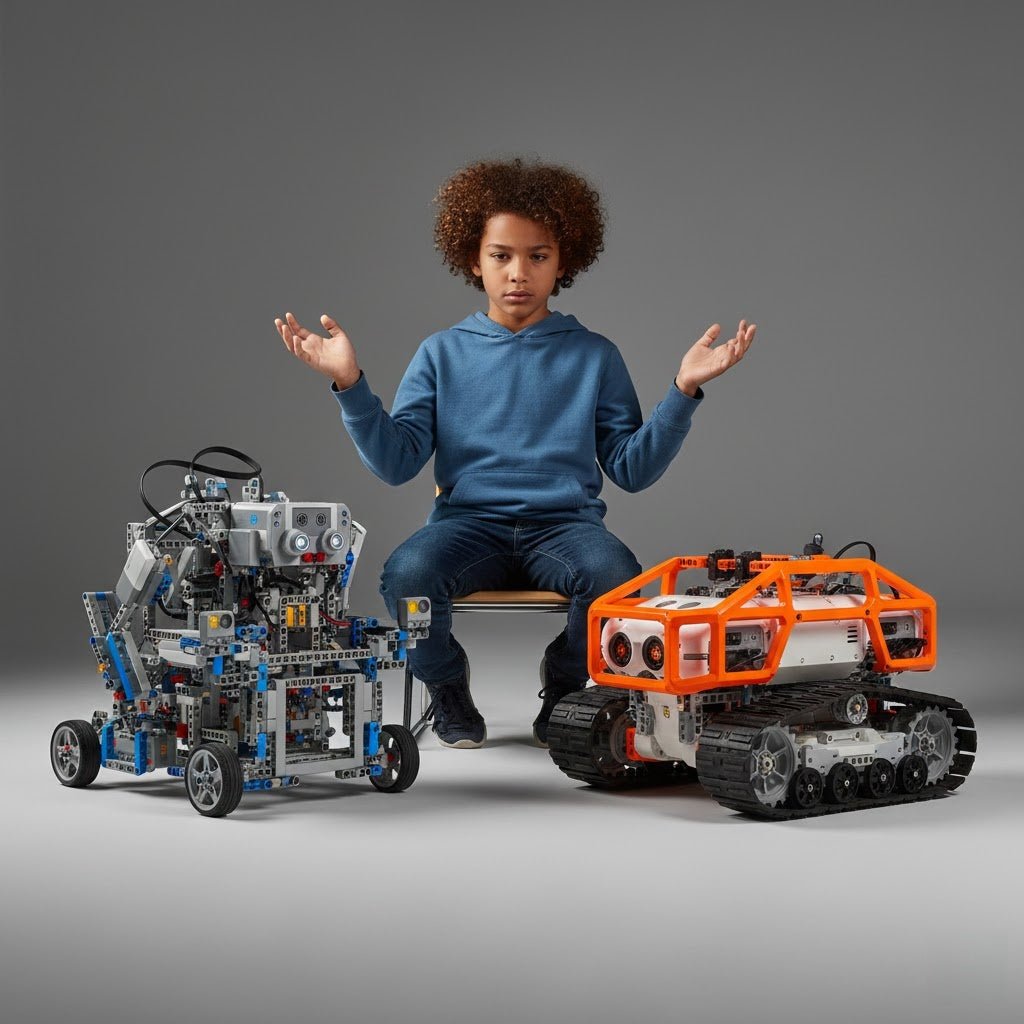
The digital age is moving quickly. Getting kids familiar with STEM early can truly spark a lifetime love for inventing. STEM robots are interactive toys or kits. They successfully merge playing games with actual learning. Children program how the robot moves, tackle different challenges, and construct things. This naturally introduces them to coding basics. Using these educational robots gives children important, practical experience. They build necessary skills like computational thinking, figuring out problems, and creativity. These abilities prepare them perfectly for success in our technology-focused society.

This 2026 review names the top 10 coding robots for children. We picked them based on their learning value, how well they suit different ages, their build quality, and cool, new features. We pulled information from expert reviews, parent comments, and real testing. This ensures our list includes everything: easy beginner robots for younger kids, advanced Python coding kits for teens, and all levels in between. If you are looking for STEM robotics kits for home lessons or kids' coding toys to help grow engineering skills, this guide features educational robots for everyone.
Key Points:
-
Top STEM robots for kids in 2026 focus on making learning fun while building basic skills. The child's usage of them determines how well they function.
-
You'll find many choices: some are screen-free for toddlers, while others use advanced text coding. We know not all children learn at the same speed.
-
These robot tools are great for improving computational thinking. But, a parent's help is crucial for getting the most out of them.
-
The issue of too much screen time is always debated, so we gave preference to robots with balanced interfaces.
STEM robots are effective tools for developing young minds in the rapidly evolving field of education technology. These devices more than just entertain; they also build the foundation for future jobs in areas like robotics and AI. Recent research shows that learning to code early can boost a child's logical reasoning by as much as 20%. However, this only happens if they use the tool regularly. This full review looks deeply into the details of every robot we recommend. We include ideas from many different sources to give you a fair, balanced view.
STEM Robot Learning
Our world runs on technology now. It's truly essential that we give our kids solid STEM skills. The biggest inventions coming soon—things like AI helpers and cars that drive themselves—will be built by the young people learning today. Learning robots offer tremendous support. They bring tough, complex ideas to life through fun, hands-on projects. This builds a child's computational thinking, ability to solve problems, and creativity.
A STEM robot is basically a device you can command using code. It often has things like sensors and motors. This allows kids to program its actions, fix any bugs, and keep refining their projects, which is exactly how real-world engineering happens.
For this 2026 review, we checked out many options. We judged them using four main points:
-
Learning Value: How strong is the teaching of basic STEM concepts?
-
Ages: Does the difficulty fit the child's stage of growth?
-
Build Quality: How sturdy is the robot for lots of playtime?
-
Extras: Can it grow or be used with school lessons?
You will get full reports on the top 10 robots. We placed them into age groups so you can easily pick the perfect coding toy or robotics kit for your child.
The Top 10 STEM Robots (2026 Review)
A. Beginner Bots (Ages 4-7): Screen-Free & Foundational Coding
For the youngest kids, robots without screens are the best choice. They focus on touch and movement, which teaches basic steps without being too complicated.
These learning robots show cause-and-effect through easy commands. This helps create early computational thinking skills, all while the child is just playing.
Robot 1: Botley 2.0 - Best for Preschool & Tactile Learning
The Botley 2.0 from Learning Resources, is a full screen-free robot that relies on manual programming for young kids learning to code. Children use a remote to put in simple directions, like loops and "if-then" commands. They then guide Botley through obstacles or mazes they build using the included cones and blocks. This design really builds problem-solving skills. Kids fix the paths (debug) when Botley hits a block. The robot gives instant feedback using different lights and sounds.
-
Key features: Durability with a sturdy plastic build that withstands drops, and over 70 pieces for creative setups. Priced around $61, it's affordable for home use and aligns with STEM robotics kits for home learning by encouraging spatial awareness and sequencing—core elements of computational thinking.
-
Pros: Intuitive for little hands, no app required;
-
cons: Requires batteries and space for play.
Ideal for ages 5-7, it transitions seamlessly to more advanced learn to code toys.
Robot 2: Bee-Bot - The Storytelling & Play-Based Coder
Bee-Bot, a well-known, classic kids' coding toy. It teaches cause and effect through play and narrative using basic button programming. Shaped like a cheerful bee, it moves on a grid mat. Children push buttons to input commands: forward, backward, left, or right. The goal is to reach certain story points or finish quests. It also works great with different playsets for imaginative fun. This approach makes learning feel like storytelling, helping preschoolers grasp directional concepts without screens.
-
Key features: its robust design for classroom or home durability and compatibility with expansion mats for themed adventures. It's a good investment in educational robotics, enabling social skills-building group activities in addition to engineering kits for kids, for about $85 per kit.
-
Pros: Encourages collaboration;
-
cons: Limited to 40-step programs.
Perfect for ages 4-6, it sparks creativity in young minds.
B. Intermediate Robots (Ages 8-12): Visual Coding & Simple Robotics
As children get older, visual tools like Scratch that use drag-and-drop let them use harder logic. This combines coding and building to create a full STEM learning experience.
Robot 3: Dash by Wonder Workshop - Best for Block-Based Programming (Scratch-like)
Dash is a clear leader among coding robots for this age group. It uses a mobile app for its block-based coding, similar to how Scratch works. Kids get to program the robot's moves, sounds, and lights. They complete challenges, like finding a way through a maze or playing simple games. This really sharpens their problem-solving skills. Its lively design, complete with LED eyes, makes it very fun. This keeps kids engaged whether they are playing alone or with friends.
-
Key Features: It has sensors to spot things in its way and is compatible with Lego for making your own designs. The price is $153. It works well for learning at home or school and comes with many online guides.
-
Pros: The app is very easy to use.
-
Cons: You must have a compatible device to use it.
Great for moving into more advanced coding ideas.
Robot 4: LEGO Spike Prime - The Engaging Engineering Kit
LEGO Spike Prime is excellent at mixing building and coding. It focuses on engineering design using smart bricks and a main hub for programming. Kids build robots from over 500 parts. They use Scratch-style blocks or Python to code how the robot acts, learning about movement and sensors. Projects include automated sorting machines or inventions that fix real-life issues. More than forty courses with detailed, easy-to-follow directions are included in the program. It is therefore ideal for usage at home or in the classroom.
-
Key Feature: The design is modular (can be changed easily). It includes large motors, color/force sensors, and works with LEGO Technic parts. You can transform it into many things, like mechanical arms or vehicles. As abilities advance, it also facilitates switching to text-based coding. It costs around $350. The strong hub makes it durable enough for constant rebuilding.
-
Pros: Fun to play with repeatedly due to endless custom builds, fits perfectly with existing LEGO sets, great for teamwork, and has many lessons for teachers.
-
Cons: The higher price might stop some buyers. You need a compatible device for the app. For younger children, building it takes time.
Ideal for ages 10-12 eager to blend creativity with tech.
Robot 5: mBot by Makeblock - Best Value for Classroom & Home
The mBot provides a great balance of features and low cost. This makes it a primary choice for STEM robotics kits used for learning at home. Kids first build the robot car. Then, they use drag-and-drop coding. They can include sensors for things like following lines or avoiding objects.
-
Key Feature: It has ultrasonic sensors and line followers. You can add extra parts like grippers or cameras. The app provides lessons that feel like actual games, plus more than 100 online guides that teach everything step-by-step. The price is fair, at only about $90. Its solid aluminum build means it is very durable.
-
Pros: It is simple to put together with clear guides,about 20 minutes. Excellent value for what you get. Good for group work in class. Durable enough for many experiments. Software updates are free.
-
Cons: It doesn't run well on rough or uneven ground. You might need to buy extra parts for really advanced projects. The software sometimes has small issues on older devices.
Suits ages 8-10 looking for hands-on value.
Robot 6: Sphero Bolt - Intro to Mobile App Coding
Sphero Bolt introduces app-based control with an LED matrix for displaying code outputs, focusing on logic through games and challenges. Its spherical design allows omnidirectional movement, with sensors for interactive play.
-
Key Feature: A sturdy, waterproof shell made from polycarbonate. Charging is done inductively, giving you more than four hours of playtime. Inside, sensors like a compass and gyroscope ensure you have highly accurate control. It also works with JavaScript for building advanced skills. Costing $99, it keeps kids engaged with challenges like coding battles.
-
Pros: The solid build handles drops and water. Fun, interactive games keep interest high. It supports full classroom sets for group work. It is simple to carry and store.
-
Cons: Easily lost because of its small size. If the lights (LEDs) are used often, the battery life may decrease. It needs app updates to work at its best.
For ages 9-12 seeking dynamic play.
C. Advanced Robots (Ages 13+): Text-Based Coding & Advanced Engineering
For teens, text-based languages like Python open doors to complex projects, including AI basics and custom hardware.
Robot 7: Makeblock Ultimate 2.0 - The Python Programmer's Choice
This kit shifts to text-based coding with Python, using over 550 metal parts to build 10+ configurations like robotic arms or tanks, compatible with Raspberry Pi or Arduino for advanced integrations. Focus: Scripting for sensor data processing, motor control, and multi-function robots that simulate real engineering tasks.
-
Key Feature: Extensive compatibility with add-ons like grippers and cameras, mBlock software for seamless transition from blocks to code, and high-quality aluminum beams for sturdy builds. Priced at $350, it offers strong community support for custom projects.
-
Pros: The versatile 10-in-1 designs promote trying new ideas. It is excellent for learning both electronics and programming. The materials are durable enough for many rebuilds. It comes with great online resources and user forums.
-
Cons: The complicated assembly takes several hours. It has a higher price tag. The complexity might overwhelm someone brand new to coding if they don't have help.
Robot 8: LEGO Mindstorms Robot Inventor - Best for Robotics Competition & AI
Mindstorms works with Python and Scratch. This allows for programming robot movement (kinematics) and simple AI features. The kit has 949 pieces to build five main robots, such as a walking four-legged robot or a ball-shooter, plus many custom designs. It comes with sensors for color and distance, and a camera for vision tasks. This makes remote control and interactive play possible.
-
Key Feature: Intelligent hub with Bluetooth connectivity, four motors for precise movements, and app with tutorials for competition-style challenges like sumo battles. Around $360, it's robust with a focus on physical-digital integration.
-
Pros: Wide range of builds fosters creativity, supports Python for real coding skills, community-driven challenges for motivation, durable for repeated use;
-
Cons: Steep learning curve for coding novices, app can be buggy on some devices, older set but still relevant in 2026.
Robot 9: Elegoo Uno Project Smart Car Kit - The DIY & Customization Master
Open-source Arduino-based kit encourages hardware and software modifications, focusing on building a four-wheel smart car with obstacle avoidance and line tracing via Python-compatible code. Includes 24 modules for hands-on electronics assembly.
-
Key Feature: It includes ultrasonic sensors, IR remotes, and can be expanded using breadboards for custom wiring. It programs using Arduino IDE and supports upgrades, like adding cameras. priced at $70, it’s an affordable choice for DIY fans.
-
Pros: A budget-friendly way to get into robotics. It encourages a deep understanding of how parts work. There are many community guides for expanding it. A rechargeable battery is also included.
-
Cons: Assembly requires patience (2-3 hours), potential wiring issues for beginners, limited without additional parts.
Robot 10: Marty the Robot V2 - The Specialized Electronics Explorer
Marty dives into electronics with nine servo motors for walking, plus sensors for balance and interaction, coded in Scratch or Python for projects like dancing or obstacle navigation. Includes breadboards and components for circuit experiments beyond basic movement.
-
Key Feature: It has a humanoid design with expressive eyes. It uses Raspberry Pi for teaching basic AI. The easy-to-use app includes tools for calibration. It also comes with a full electronics lab that includes resistors and wires. Priced at $449, this is a complete solution for STEM learning.
-
Pros: The unique two-legged movement keeps users interested. It has a robust build that lasts in a classroom setting. The software is flexible for all skill levels. It offers strong educational materials.
-
Cons: Premium price, setup time for Wi-Fi connectivity, limited speed on uneven floors.
Buyer's Guide: Choosing the Right Robot
Choosing the perfect learning robot means matching it to your child's current skills and age.
-
Preschoolers do best with screen-free choices like Botley, but teens need kits that can handle Python code.
-
See whether they enjoy making things or solving puzzles to assess their level of preparedness. They are prepared for the next level if they have an interest in how things operate.
-
Screen-free is easy on the eyes but limits complex coding. Tablet use offers flexibility. Computer software is best for deep projects.
-
Basic kits cost between $50 and $100, middle-level kits between $100 and $200, and advanced kits more than $200. More features and instructional materials are included with higher price.
For the longest use, pick expandable kits like LEGO that let you add parts later. Here is a comparison table:
|
Category
|
Example
|
Price Range
|
Key Expansion
|
Age Fit
|
|
Beginner
|
Botley 2.0
|
$50-80
|
Accessory packs
|
4-7
|
|
Intermediate
|
mBot
|
$80-150
|
Sensor modules
|
8-12
|
|
Advanced
|
Makeblock Ultimate
|
$300+
|
Pi/Arduino integration
|
13+
|
Conclusion: The Future of Play and Learning
Buying a STEM robot mixes playtime with learning. It helps get children ready for a future built on technology. These selected robots offer a path to coding skills, from simple starter bots to highly advanced kits. Begin your child's journey today with one of these choices—the spark of innovation is ready to be lit.