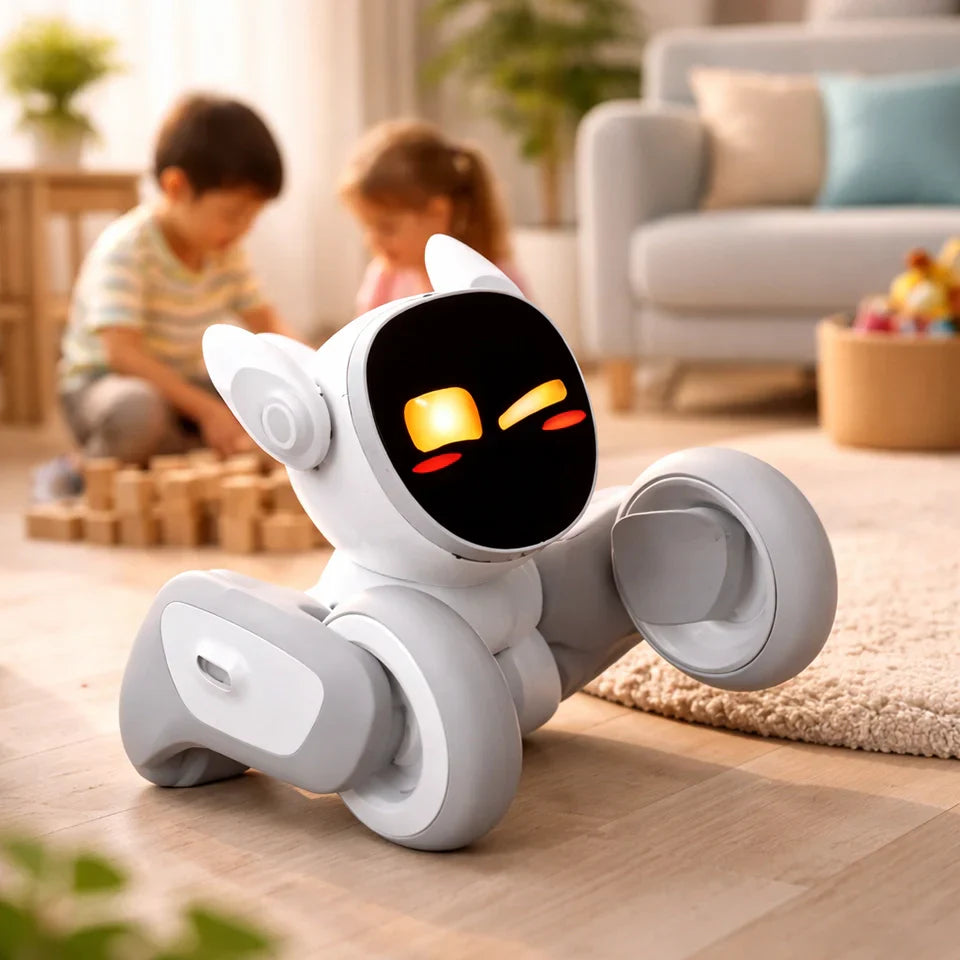
Buying an AI robot in 2026 can feel oddly confusing: you’ll see “robots” priced like gadgets on one end of the spectrum, and priced like industrial equipment on the other. That’s because AI robot price isn’t a single number—it’s a range shaped by what the robot is meant to do, where it will run, how reliably it must perform, and what kind of support comes with it.
This guide is here to make the pricing landscape practical. We’ll start with quick price ranges by robot category (home companions, service robots, cobots, industrial systems, and more), then break down what actually drives cost—sensors, compute, mechanics, autonomy, safety, and ongoing software. Finally, we’ll cover the “hidden” line items that often surprise first-time buyers, so you can budget based on real total cost of ownership, not just a sticker price.
If you’re shopping for a home companion, you’ll also find a short example pick to anchor expectations. The goal isn’t to push one robot—it’s to help you understand what you’re paying for and choose the right tier with confidence.
AI Robot Price Ranges by Type
Below is a practical “quick table” to anchor your budget. These are broad ranges because specs, region, support terms, and add-ons can change the total quickly.
| Robot category | Typical price range (USD) | What you usually get |
| Home companion / “pet” robots | ~$200–$1,500 | Social interaction, sensors, app features, basic autonomy |
| Educational robots (kits & learning bots) | ~$50–$800 | Curriculum-friendly features, programmable behaviors |
| Service robots (retail/hospitality) | ~$5,000–$40,000+ | Navigation, task workflows, fleet tools (often add-ons) |
| Delivery/transport robots (campus/warehouse) | ~$15,000–$80,000+ | Higher safety + navigation stack, mapping, payload capacity |
| Cobots (collaborative robot arms) | ~$15,000–$60,000+ | Arm only; integration/end-effector is extra |
| Industrial robots / robot cells | ~$50,000–$250,000+ | Cell design, guarding, conveyors, commissioning |
| Humanoid robots (early market) | Very wide; often high | R&D-heavy, limited availability, rapidly evolving |
Important: For B2B robots, the sticker price is only part of the story. Your true total often depends on deployment, integration, and support.
Price Tiers: What “Entry / Mid / Premium” Actually Means
To make the ranges above more practical, it helps to think in tiers. Here’s what you can typically expect from entry-level, mid-range, and premium robots—along with who each tier is best for and what to watch out for.
Entry-level: “It works, but it’s focused”
This tier usually prioritizes a single experience: basic companionship, learning, or a constrained workflow. Expect simpler hardware, fewer sensors, and limited autonomy.
Best for: first-time buyers, families, casual use, classroom projects
Watch for: weak support, short warranty, limited app/software updates
Mid-range: “Better sensors + better software”
Mid-range robots typically feel “smarter” because they have stronger sensing, smoother interactions, and a more polished software experience. It’s often the sweet spot for home companion robots.
Best for: daily home use, consistent engagement, more capable features
Watch for: accessory costs (docks, replacement parts), subscription-style features
Premium: “Capability and reliability start to dominate”
In premium tiers—especially B2B—reliability and uptime matter as much as “cool features.” Costs rise with safety, durability, support contracts, fleet tooling, and on-site service.
Best for: businesses, automation ROI, repeated tasks at scale
Watch for: integration scope creep (it’s real), training, maintenance plans
What Drives AI Robot Price
A quick way to understand why prices vary so much: robots are a bundle of hardware + autonomy + safety + support.
1) Sensors (what the robot can perceive)
Cameras, depth sensors, LiDAR, microphones, touch sensors, and IMUs add cost fast—especially if you need robust performance in messy real-world environments.
2) Compute (what the robot can process)
On-device compute influences responsiveness and offline capabilities. More compute can mean better real-time perception, but also more power draw and heat constraints.
3) Mechanics (what the robot can physically do)
More degrees of freedom (DOF), stronger motors, higher payload, better materials, and quieter actuation all push the price up.
4) Autonomy level (how much it can do without you)
Simple behaviors are cheap. Reliable navigation, mapping, obstacle avoidance, and “repeatable tasks” in changing spaces take serious engineering.
5) Safety requirements (especially in B2B/industrial)
If a robot operates near customers or workers—or moves heavy loads—safety design and compliance become major cost drivers.
6) Support & warranty (the part people ignore until it hurts)
For businesses, support terms and on-site service can outweigh small differences in hardware pricing.

The Real Cost: Total Cost of Ownership (TCO) Checklist
If you only budget for purchase price, you’re budgeting for disappointment. Here’s a practical TCO checklist.
For home users
-
Shipping/taxes (varies by region)
-
Accessories (charging dock, replacement parts, protective add-ons)
-
Warranty / extended protection
-
Battery lifespan (replacement cost over time)
-
Software features (some brands gate advanced features behind paid plans)
For businesses
-
Integration & commissioning (often significant)
-
Site prep (Wi-Fi coverage, layout changes, safety signage)
-
Training (operators + supervisors)
-
Maintenance plan (preventive maintenance, spare parts)
-
Fleet management tools (if you have more than one robot)
-
Downtime risk (the hidden “cost of being broken”)
Rule of thumb: If you’re buying a robot for work, treat TCO as a first-class budget line—not an afterthought.
Recommended Picks by Use Case
This section is intentionally short and practical. It’s not a “top 50 robots” list—it’s a starting point for choosing the right category, with one example in the home companion space.
Home & Family Companion
If your use case is family-friendly companionship—something interactive, playful, and engaging at home—then you’re typically shopping in the “mid-range home companion” tier.
Example pick: Loona Robot
Loona is built around home interaction: expressive behaviors, playful engagement, and an app-connected experience that’s designed for everyday use in a living space.
Best for:
-
Families who want a friendly “robot pet” vibe
-
Users who care more about interaction than utility tasks
-
Gifts where onboarding and daily engagement matter
Not ideal if:
-
You need a robot to physically do chores (carry laundry, cook, etc.)
-
You want business-grade SLAs or custom integrations
-
You only want a one-time cost with zero accessory/warranty planning
What to budget for (beyond purchase price):
-
Shipping/taxes (region dependent)
-
Optional accessories (like charging solutions or replacements)
-
Warranty coverage if you want extra peace of mind
Tip: In your blog, link to the Loona product page once here (natural anchor text like “Loona companion robot”) and once in the FAQ. Avoid using “ai robot price” as the anchor text to the product page.
Small business / Retail
In retail or hospitality, most buyers care about:
-
Simple, repeatable workflows
-
Navigation reliability (tight spaces, crowds)
-
Support and uptime
Start by confirming where it will operate, how it will connect (Wi-Fi), and what success looks like (reduced labor hours, better customer experience, etc.).
Industrial / Cobot
For automation, the “robot” is rarely the expensive part by itself. The full system cost often includes:
-
End-effector tooling
-
Safety guarding
-
Vision + calibration
-
Integrator time
-
Commissioning and training
If you’re comparing quotes, require each vendor to break out arm cost vs. integration scope so you can compare apples to apples.
Example Budgets: 4 Common Scenarios
Prices are easier to understand when you tie them to a real goal. Instead of guessing what you “should” spend, use the scenarios below as starting points—each one highlights what to prioritize, what to budget for beyond the sticker price, and the common cost surprises to avoid.
1) “I want a home companion robot under $600”
Focus on the home companion category and prioritize:
-
Battery life + charging convenience
-
Warranty options
-
App/software update track record
Budget extra for shipping/taxes and an accessory or two.
2) “Classroom robot for coding projects”
You’re typically in educational kits or entry learning bots.
-
Budget for spare parts (classrooms are tough)
-
Prefer ecosystems with stable lesson plans and documentation
-
Plan time for onboarding (teachers need quick wins)
3) “A robot for a small shop to greet customers”
Budget isn’t just the robot:
-
Connectivity setup
-
Routine maintenance
-
Staff training
Ask vendors what happens when the robot fails mid-day—and how quickly it can be recovered.
4) “Automation cell for a repetitive manufacturing step”
Ask for a quote that explicitly includes:
-
Safety, guarding, commissioning
-
Acceptance criteria and testing
-
Ongoing service terms
The cheapest upfront bid often becomes expensive later if support is weak.
Conclusion
The biggest takeaway about ai robot price is simple: there’s no single “right” number—only the right budget for a specific job. A playful home companion, a service robot that navigates busy public spaces, and an industrial automation cell are all “AI robots,” but they’re built with very different priorities, and the pricing follows those priorities.
If you’re buying for home, focus on the experience you’ll actually use day-to-day: interaction quality, charging convenience, durability, and the support you’ll want if something goes wrong. If you’re buying for business, treat pricing as a systems question—hardware is only one line item, and integration, uptime, and ongoing support often determine whether the investment pays off. Before you purchase, pick your use case, choose a realistic tier, and run through the TCO checklist so your budget includes the costs that show up after checkout.
FAQs
What is the average ai robot price?
There isn’t a single “average” that’s meaningful across categories. A home companion robot and an industrial robot cell live in entirely different price universes. Use price by category instead.
Are cheaper robots “bad”?
Not necessarily. Cheaper robots can be great when the use case is simple and expectations are realistic. Problems start when buyers expect premium autonomy from entry-level hardware.
Do AI robots require subscriptions?
Some do. You’ll see subscriptions for cloud services, premium features, or business fleet management. Always check what’s included.
How do I compare two robots with different prices?
Compare based on:
-
Use case fit
-
Sensor/compute capability
-
Warranty + support
-
TCO (accessories, maintenance, software)
-
Reliability signals (reviews, update history)